Sectors: Finance • Information Technoloy • Government • Healthcare • Industries • Education • (show all)
This troubleshooting guide is for those who encounter problems when using Asprise Scanning and Imaging SDK as an end users. Common problems like device not found, scanning exceptions are covered in this guide.
First, make sure that you have installed a proper TWAIN driver. Then follow the steps below:
Twacker is a minimal TWAIN test application - all it does is talk to the TWAIN driver of your scanner. That makes it a quick way to find out where a scanning problem comes from: if your scanner cannot be driven from Twacker, the problem lies with the TWAIN driver or the device itself rather than with Asprise Scanning and Imaging SDK.
Twacker is a 32-bit application and it lists 32-bit TWAIN sources only - which is what most scanner vendors ship. If you are wondering why a scanner shows up here but not in your own 64-bit application, please read 64-bit applications and TWAIN scanners.
Follow the steps below to scan a page with Twacker:
Click here to download Twacker 32-bit here and install it on the end user's computer - the computer that the scanner is connected to;
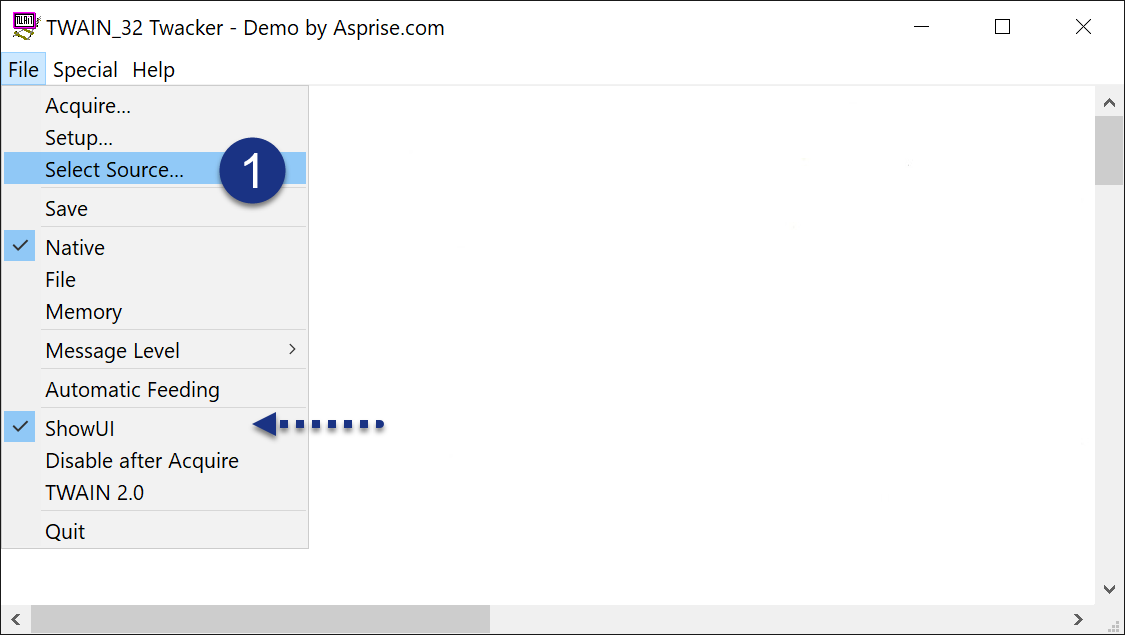
Click 'File' > 'Select Source...'. Leave 'ShowUI' checked so that the driver's own user interface will be displayed;
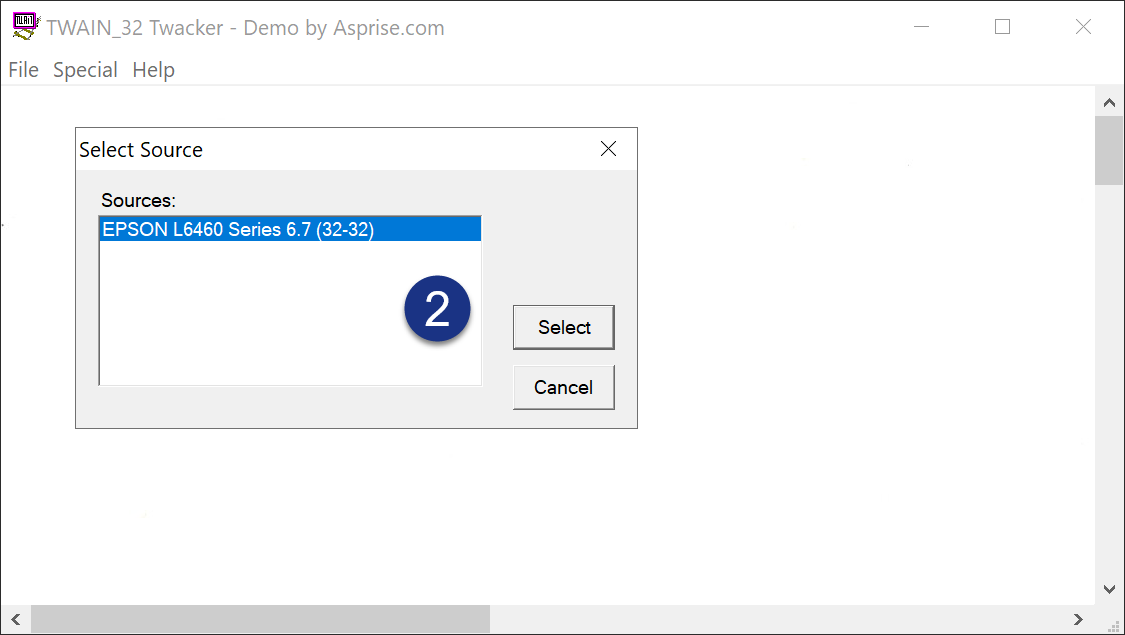
Select your scanner from the 'Sources' list and click 'Select'. If your scanner is not listed here, its TWAIN driver is not installed properly;
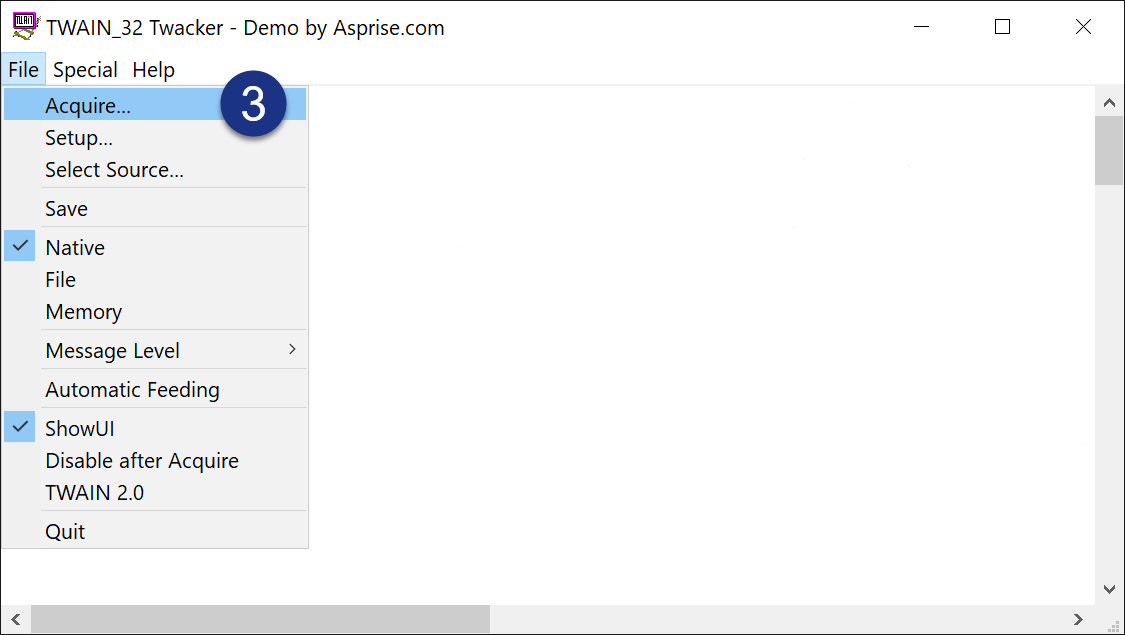
Place a page in the scanner and click 'File' > 'Acquire...' to start scanning;
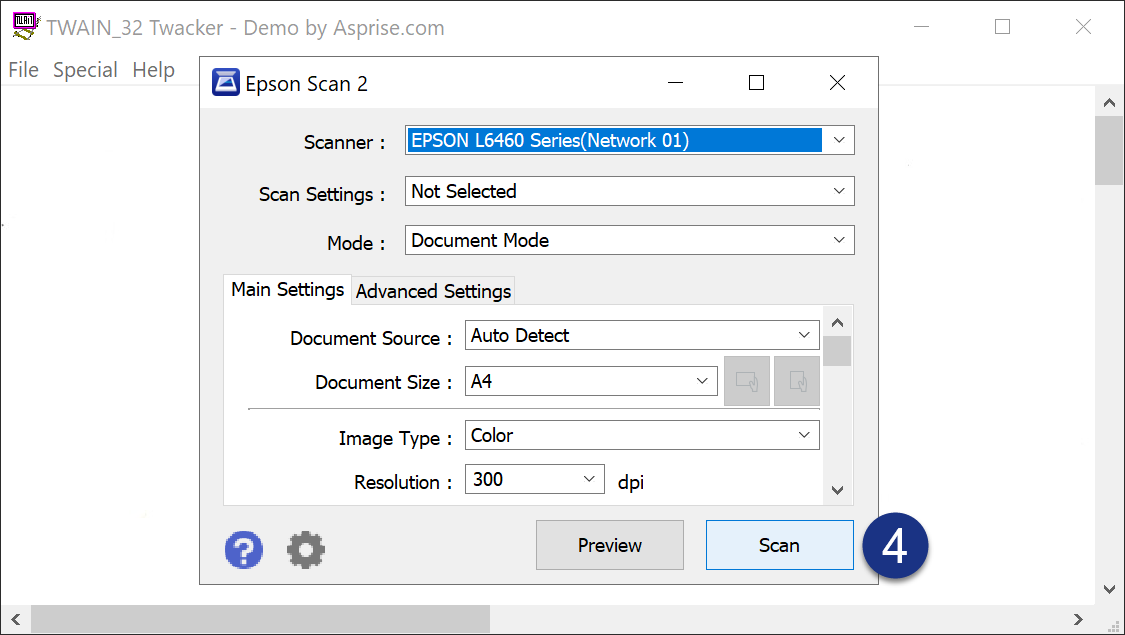
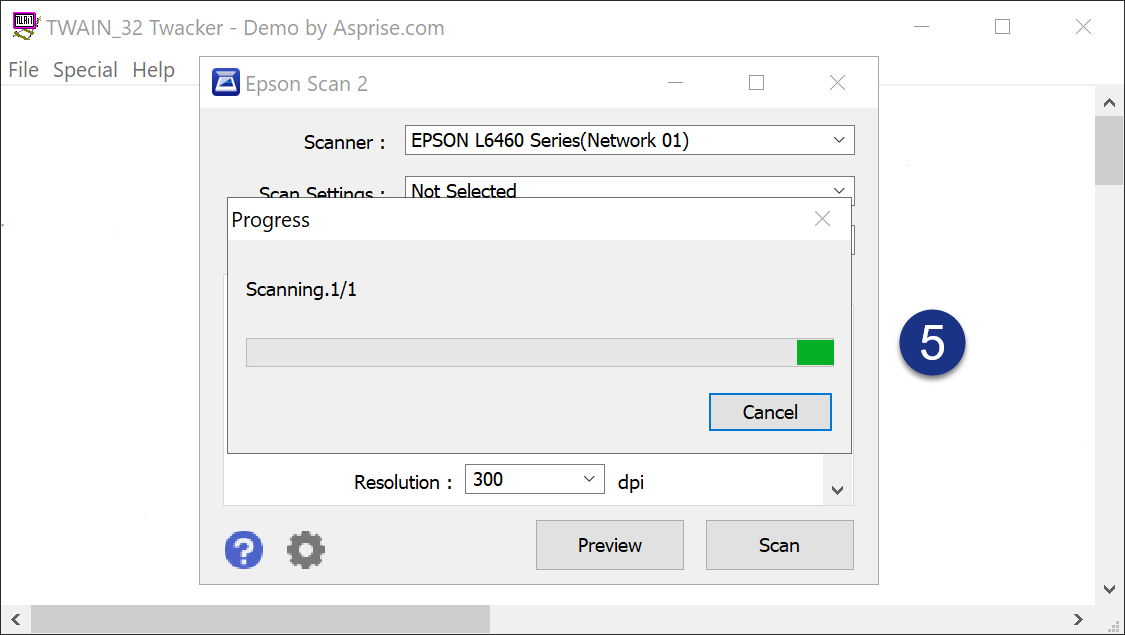
The user interface of your scanner's driver comes up (Epson Scan 2 in the example below). Click 'Scan' to acquire the page;
The scanner starts working and the scanned image is displayed in the Twacker window once it is done.
If Twacker fails at any of the steps above, reinstall or update the TWAIN driver of your scanner from the vendor's website and try again.
If all the steps above complete successfully, your scanner and its TWAIN driver are working properly. Should the problem persist in your own application, please contact us at support and let us know how far you got in Twacker.
A sample TWAIN data source is a virtual scanner: it installs like a scanner driver, but instead of driving any hardware it returns built-in test images. It lets you exercise scanning when there is no physical scanner at hand.
Install the one matching the bitness of the application you are testing with - both may be installed side by side:
Once installed, the sample data source shows up in the source selection dialog next to your real scanners and is selected and scanned from in exactly the same way - including from Twacker, so the steps above apply unchanged.